Data Vs Information and Database Fundamentals
Database systems form the backbone of modern information management, handling everything from banking transactions to social media interactions. Understanding the fundamental distinction between data and information is crucial. Data represents raw, unprocessed facts and figures, while information is processed, organized data that provides meaning and context for decision-making.
The Basics
A database is a collection of related data organized to serve multiple applications efficiently. Data represents recordable facts with implicit meaning, such as names, addresses, and balances. A DBMS serves as an interface between the database and end users or application programs.
Data vs Information (Quick Comparison)
| Data | Information |
|---|---|
| Raw facts and figures | Processed, organized, and meaningful output |
| May be unorganized (numbers, symbols, text) | Interpretable and useful for decision-making |
| Input to a system | Output of processing |
| Example: 95, 88, 76 | Example: Average = 86.33, Grade = A |
| By itself may not add value | Adds value and context |
Key Characteristics of the Database Approach
-
Self-describing nature: Database contains not only data but also metadata (data about data) in the system catalog
-
Insulation between programs and data: Program-data independence allows changing data structure without modifying programs
-
Support for multiple views: Different users can have different perspectives of the same data
-
Sharing of data and multiuser transaction processing: Multiple users can access database simultaneously while maintaining consistency
Advantages of Using a DBMS
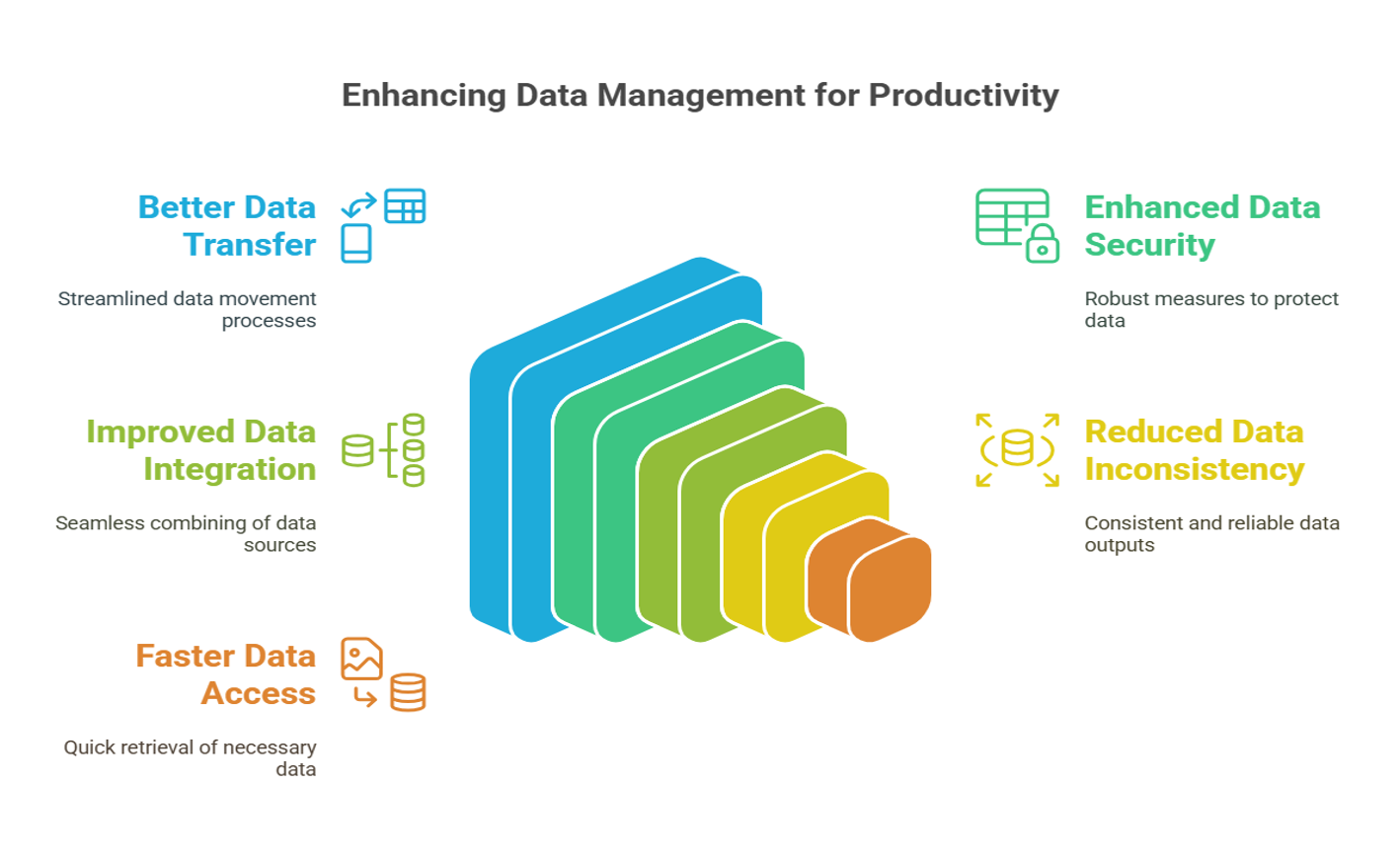
- Controlling redundancy: Eliminates duplicate data storage
- Restricting unauthorized access: Security and authorization mechanisms
- Providing persistent storage: Data outlives programs that create it
- Providing backup and recovery: Protection against hardware/software failures
- Enforcing integrity constraints: Rules to maintain data accuracy
- Permitting inference and actions using rules: Database triggers and stored procedures
Disadvantages of File-Based Systems
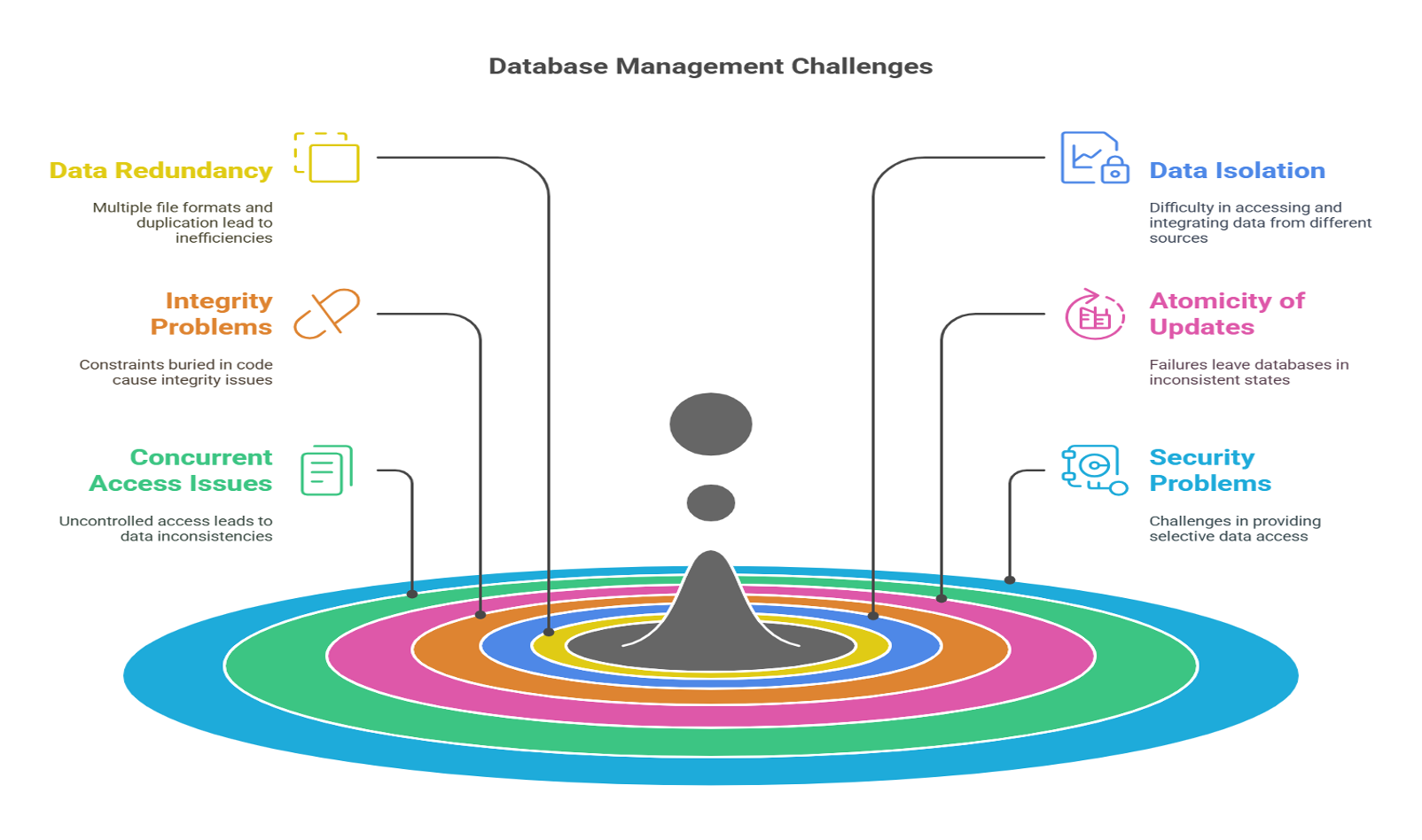
The file-based approach suffers from data redundancy, inconsistency, difficulty in accessing data, data isolation, integrity problems, atomicity issues, concurrent access anomalies, and security problems — all of which are addressed by a DBMS.
Technical Details
A Database Management System (DBMS) is a collection of interrelated data and a set of programs to access that data, providing a convenient and efficient way to store and retrieve database information.
Fundamental DBMS Characteristics:
-
Self-Describing Nature:
- Database contains metadata in system catalog
- Data dictionary stores structure information
- Schema definitions accessible through DBMS
-
Program-Data Independence:
- Physical data independence: Change storage without affecting programs
- Logical data independence: Change logical structure with minimal impact
-
Multiple Views Support:
- Different users see different perspectives
- Views provide security and customization
- External schemas tailored to user needs
-
Concurrent Access Control:
- Multiple users access simultaneously
- Transaction management ensures consistency
- Locking mechanisms prevent conflicts
Data vs Information - Technical Perspective:
Data Characteristics:
- Atomic, raw facts
- Context-independent
- Not immediately useful
- Requires processing
Information Characteristics:
- Contextual and meaningful
- Processed and organized
- Supports decision-making
- Adds value to users
DBMS Advantages - Deep Dive:
-
Redundancy Control:
- Centralized storage
- Normalization techniques
- Reference integrity
-
Data Consistency:
- Single source of truth
- Update propagation
- Constraint enforcement
-
Data Sharing:
- Multi-user access
- Concurrent transactions
- Access control mechanisms
-
Data Integrity:
- Entity integrity (primary keys)
- Referential integrity (foreign keys)
- Domain constraints
- Business rules enforcement
-
Security:
- Authentication mechanisms
- Authorization levels
- Encryption support
- Audit trails
-
Backup and Recovery:
- Automatic backup procedures
- Transaction logs
- Point-in-time recovery
- Disaster recovery planning
Examples
EXAMPLE 1: DATA VS INFORMATION
Raw Data:
95, 88, 76, 92, 85
Processed Information:
- Average Score: 87.2
- Highest Score: 95
- Lowest Score: 76
- Grade Distribution: 2 A's, 3 B's
- Pass Rate: 100%
EXAMPLE 2: FILE SYSTEM VS DBMS
File System Approach (Problems):
- Student data in students.txt
- Course data in courses.txt
- Enrollment data in enrollment.txt
Problems: - Data redundancy (student name repeated)
- Update anomalies (change address in multiple files)
- No integrity checks (enroll in non-existent course)
- Concurrent access issues (two users update simultaneously)
DBMS Approach (Solutions):
- Normalized tables (Students, Courses, Enrollments)
- Foreign key relationships
- Integrity constraints
- Transaction management
- Concurrent access control
EXAMPLE 3: ADVANTAGES IN ACTION
Scenario: University Database
Redundancy Control:
Before DBMS: Student name stored in every enrollment record
With DBMS: Student name stored once, referenced by ID
Data Consistency:
Before: Update student email in 10 different files
With DBMS: Update once in Students table, reflected everywhere
Concurrent Access:
Before: File locking prevents multiple users
With DBMS: Thousands of concurrent transactions
Security:
Before: File permissions only
With DBMS: Role-based access, column-level security
Backup & Recovery:
Before: Manual file backups
With DBMS: Automatic incremental backups, point-in-time recovery
EXAMPLE 4: REAL-WORLD APPLICATIONS
-
Banking System:
- Data: Account numbers, balances, transaction amounts
- Information: Monthly statements, spending analysis, fraud alerts
- DBMS Benefits: ACID transactions, concurrent access, security
-
E-Commerce Platform:
- Data: Product IDs, prices, stock quantities
- Information: Sales reports, inventory forecasts, customer preferences
- DBMS Benefits: Real-time inventory, order processing, personalization
-
Healthcare System:
- Data: Patient IDs, test results, medications
- Information: Medical history, treatment plans, health trends
- DBMS Benefits: Data privacy, audit trails, integration across departments
Real-World Use
PRACTICAL IMPLEMENTATION:
-
Choosing a DBMS:
- Small projects: SQLite (embedded, no server)
- Web applications: PostgreSQL, MySQL
- Enterprise: Oracle, SQL Server
- Cloud: AWS RDS, Azure SQL, Google Cloud SQL
-
Basic DBMS Setup (MySQL Example):
# Install MySQL
sudo apt-get install mysql-server

# Secure installation
sudo mysql_secure_installation

# Connect to MySQL
mysql -u root -p
- Creating a Simple Database:
-- Create database
CREATE DATABASE UniversityDB;
USE UniversityDB;

-- Create table with constraints
CREATE TABLE Students (
    StudentID INT PRIMARY KEY AUTO_INCREMENT,
    Name VARCHAR(100) NOT NULL,
    Email VARCHAR(100) UNIQUE,
    Major VARCHAR(50),
    EnrollmentDate DATE DEFAULT CURRENT_DATE
);

-- Insert data
INSERT INTO Students (Name, Email, Major)
VALUES ('John Doe', 'john@example.com', 'Computer Science');

-- Query information
SELECT Name, Major, YEAR(EnrollmentDate) as Year
FROM Students
WHERE Major = 'Computer Science';
- Demonstrating DBMS Advantages:
-- Redundancy Control: Use foreign keys instead of duplicating data
CREATE TABLE Enrollment (
    EnrollmentID INT PRIMARY KEY,
    StudentID INT,
    CourseID INT,
    FOREIGN KEY (StudentID) REFERENCES Students(StudentID),
    FOREIGN KEY (CourseID) REFERENCES Courses(CourseID)
);

-- Data Integrity: Constraints ensure valid data
ALTER TABLE Students
ADD CONSTRAINT chk_email CHECK (Email LIKE '%@%.%');

-- Security: Grant specific permissions
CREATE USER 'student_user'@'localhost' IDENTIFIED BY 'password';
GRANT SELECT ON UniversityDB.Students TO 'student_user'@'localhost';

-- Concurrent Access: Transactions ensure consistency
BEGIN TRANSACTION;
    UPDATE Accounts SET Balance = Balance - 100 WHERE AccountID = 1;
    UPDATE Accounts SET Balance = Balance + 100 WHERE AccountID = 2;
COMMIT;
-
Industry Best Practices:
- Always use parameterized queries (prevent SQL injection)
- Implement proper backup strategies
- Monitor database performance regularly
- Use connection pooling for web applications
- Follow normalization principles
- Document database schema and relationships
-
Career Relevance:
- Database Administrator (DBA): Manages database systems
- Data Engineer: Designs and builds data pipelines
- Backend Developer: Implements database interactions
- Data Analyst: Extracts insights from databases
- Database Architect: Designs enterprise database solutions
For exams
IMPORTANT EXAM QUESTIONS:
-
Define and distinguish between Data and Information with examples.
Answer: Data is raw facts (95, 88, 76), Information is processed data with meaning (Average = 86.33, Grade = A) -
What is a Database? List and explain the main characteristics of the database approach.
Key points: Self-describing nature, program-data independence, multiple views, data sharing, multiuser transactions -
List and explain at least 5 advantages of using a DBMS over file systems.
Points: Redundancy control, restricted unauthorized access, persistent storage, backup/recovery, integrity constraints, data sharing -
What are the disadvantages of file-based systems that led to development of database systems?
Points: Data redundancy, inconsistency, difficulty in access, data isolation, integrity problems, atomicity issues, concurrent access anomalies, security problems -
Explain the concept of data independence. Why is it important?
Answer: Ability to change schema at one level without affecting other levels. Important for system maintenance and evolution. -
How does a DBMS control redundancy? Why is this important?
Answer: Centralized storage with references (foreign keys), normalization. Prevents update anomalies and saves storage space. -
Explain how DBMS provides security and integrity.
Security: Authentication, authorization, encryption
Integrity: Entity integrity, referential integrity, domain constraints -
What is metadata? Why is it important in a database?
Answer: Data about data stored in system catalog. Enables self-describing nature of databases. -
Give real-world examples where DBMS advantages are critical.
Examples: Banking (concurrent transactions), Healthcare (security and integrity), E-commerce (data consistency) -
Compare traditional file processing with database approach in a table format.
QUICK REVISION POINTS:
• Data = Raw facts; Information = Processed data with meaning
• Database = Organized collection of related data
• DBMS = Software to manage database
• Main advantages: Redundancy control, data integrity, security, concurrent access, backup/recovery
• File systems lack: Integrity checks, concurrent control, security, recovery mechanisms
Key points
KEY TAKEAWAYS:
✓ Data is raw, unprocessed facts; Information is processed data with context and meaning
✓ A database is a collection of related data organized for efficient access and management
✓ DBMS provides: data independence, controlled redundancy, concurrent access, security, integrity
✓ File-based systems suffer from: redundancy, inconsistency, lack of integrity, poor concurrent access
✓ Self-describing nature: Database contains both data and metadata (data about data)
✓ Program-data independence allows changing storage/structure without affecting applications
✓ Multiple views enable different users to see different perspectives of same data
✓ Concurrent access control allows multiple users to work simultaneously while maintaining consistency
✓ Integrity constraints ensure data accuracy: entity integrity, referential integrity, domain constraints
✓ Security mechanisms: authentication, authorization, encryption, audit trails
✓ Backup and recovery features protect against data loss from failures
✓ Real-world applications: Banking, healthcare, e-commerce, education all depend on DBMS
✓ Career opportunities: DBA, Data Engineer, Backend Developer, Data Analyst
REMEMBER: The evolution from file systems to DBMS represents a fundamental shift toward centralized, controlled, secure, and efficient data management that enables modern digital applications.